This is an old revision of the document!
Import Authorize.net E-Check Fees
Open The Import Helper
- Open CM Statement Control
- Tap on Import CM Trxs From Plaid-BBNK.
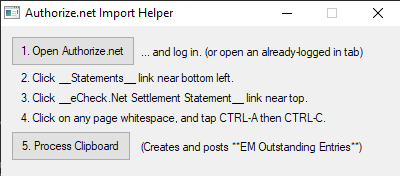

Interact with Authorize.Net
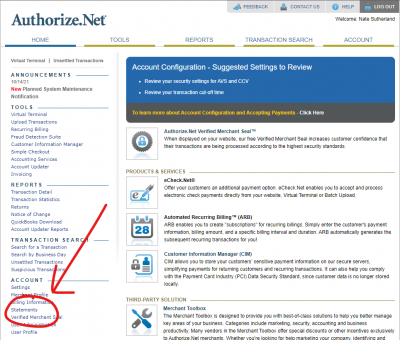
- Open Authorize.net and log in.
- Click the Statements link near the bottom left.
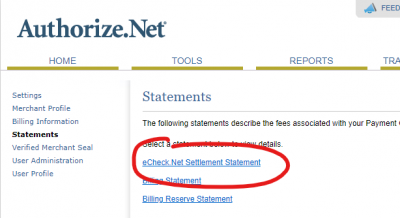
- Click the e-Check.Net Settlement Statement link near the top.
- Click anywhere in the whitespace with your mouse.'
- Tap CTRL-A (selects everything, it might look weird)

- Tap CTRL-C (copies it all to your clipboard).



Importing it into Viewpoint
In the Authorize.net Import Helper, tap the 5. Process Clipboard button.
Once you see the success dialog, you may close the Import Helper, you are done!!

Great job!!